MAR 536 Lab 8: plotting spatial data

2025-04-02

Today: Advanced plotting

  • Plot review
  • Layouts & multi-panel plots
  • Mapping
  • Spatial analyses

3 Things required for ggplots:

  1. Call to ggplot()
  2. Aesthetics using aes()
  3. Geometries e.g. geom_point(), geom_bar(), geom_line(), ect.

Multi-panel plot options

ggplot

  • facet_grid()
  • grid and gridExtra packages
  • patchwork package
  • par()
  • lattice package other examples
  • ggridges
  • cowplot

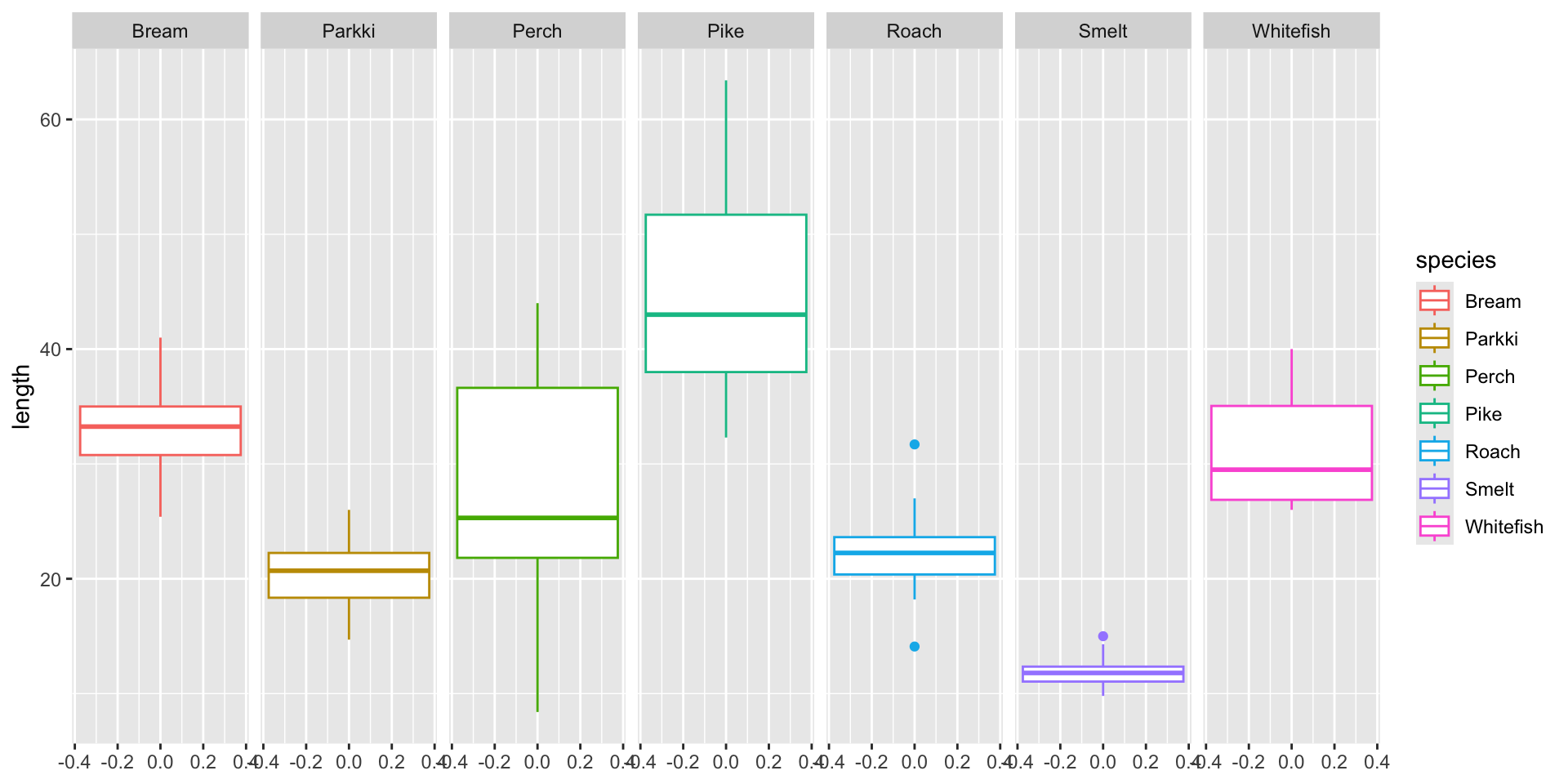
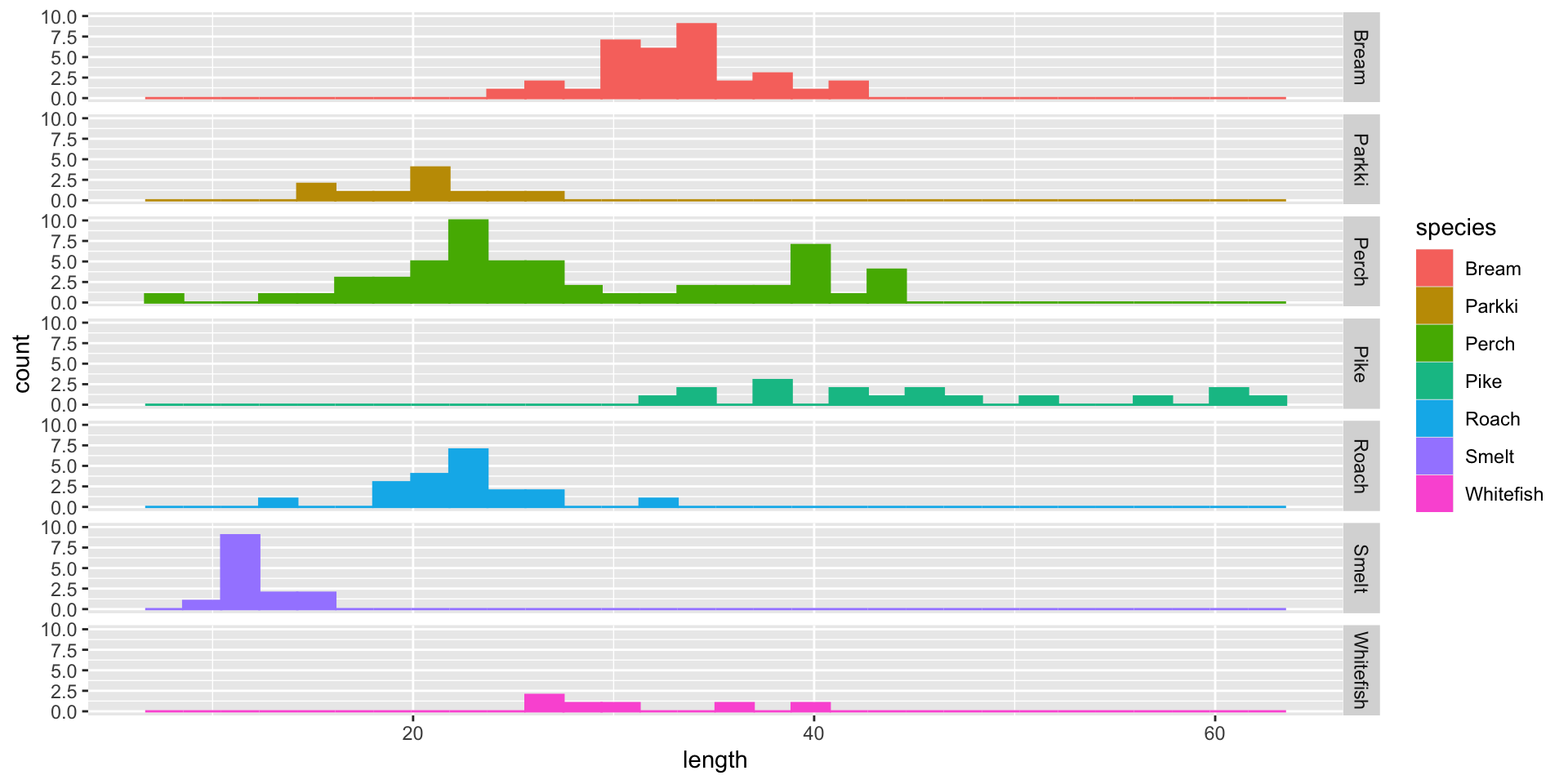
facet_grid() example: Laengelmavesi data (lab 2)

facet_grid()

ggplot(data, aes(y=length, col=species)) +
  geom_boxplot() +
  facet_grid(cols = vars(species))

facet_grid()

ggplot(data, aes(length, col=species)) +
  geom_histogram(aes(fill=species)) +
  facet_grid(rows = vars(species))

grid and gridExtra examples

The gridExtra package arranges “grobs”

grob = graphical object

gridExtra functions can also arrange gtables and ggplot objects

library(gridExtra)
library(grid)

Some gapminder example plots to work with:
library(gapminder)
library(gghighlight)

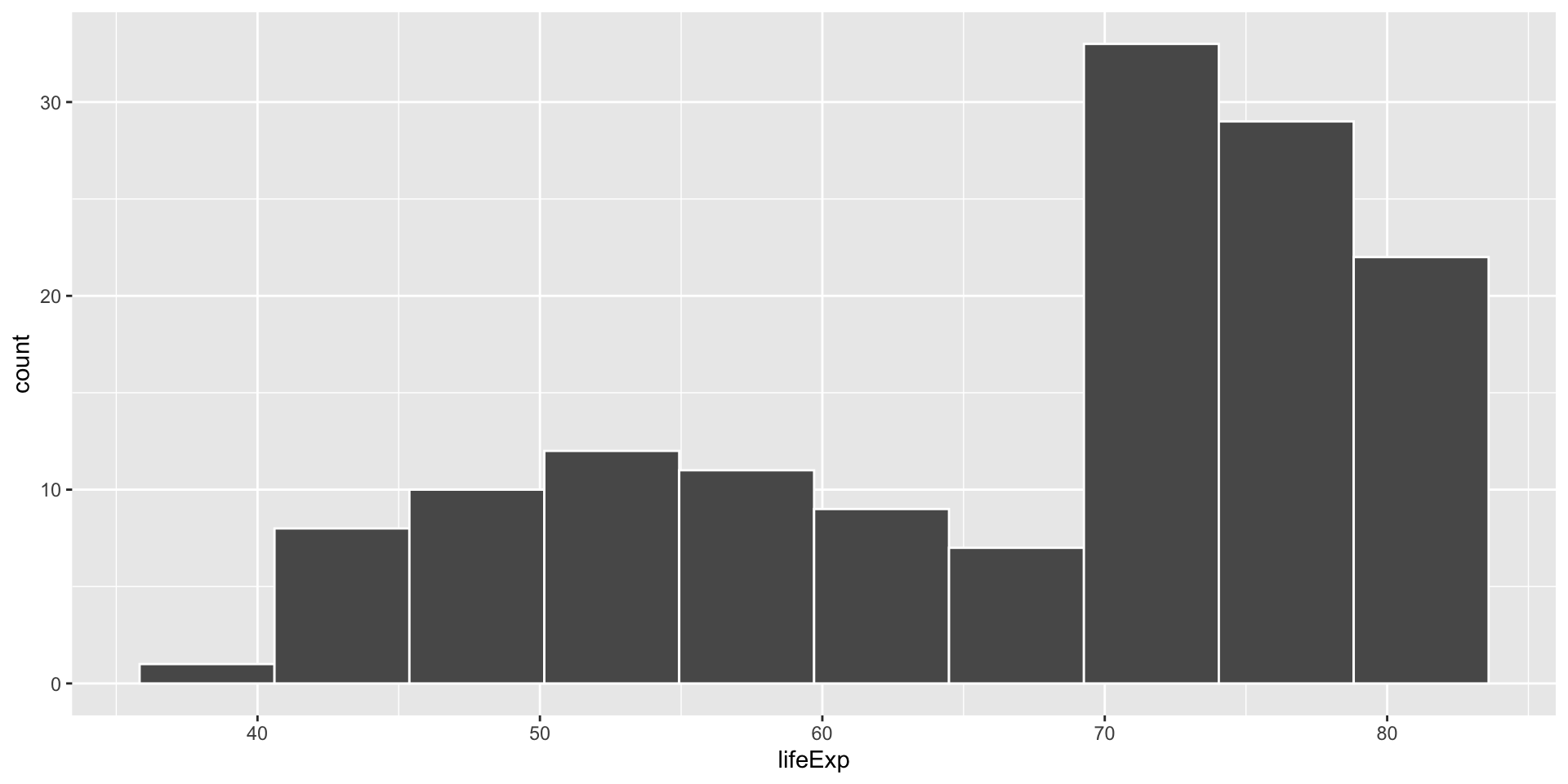
plot1 <- filter(gapminder, year == 2007) |>
  ggplot() + 
  aes(x = lifeExp) + 
  geom_histogram(bins = 10, col = "white")
plot1

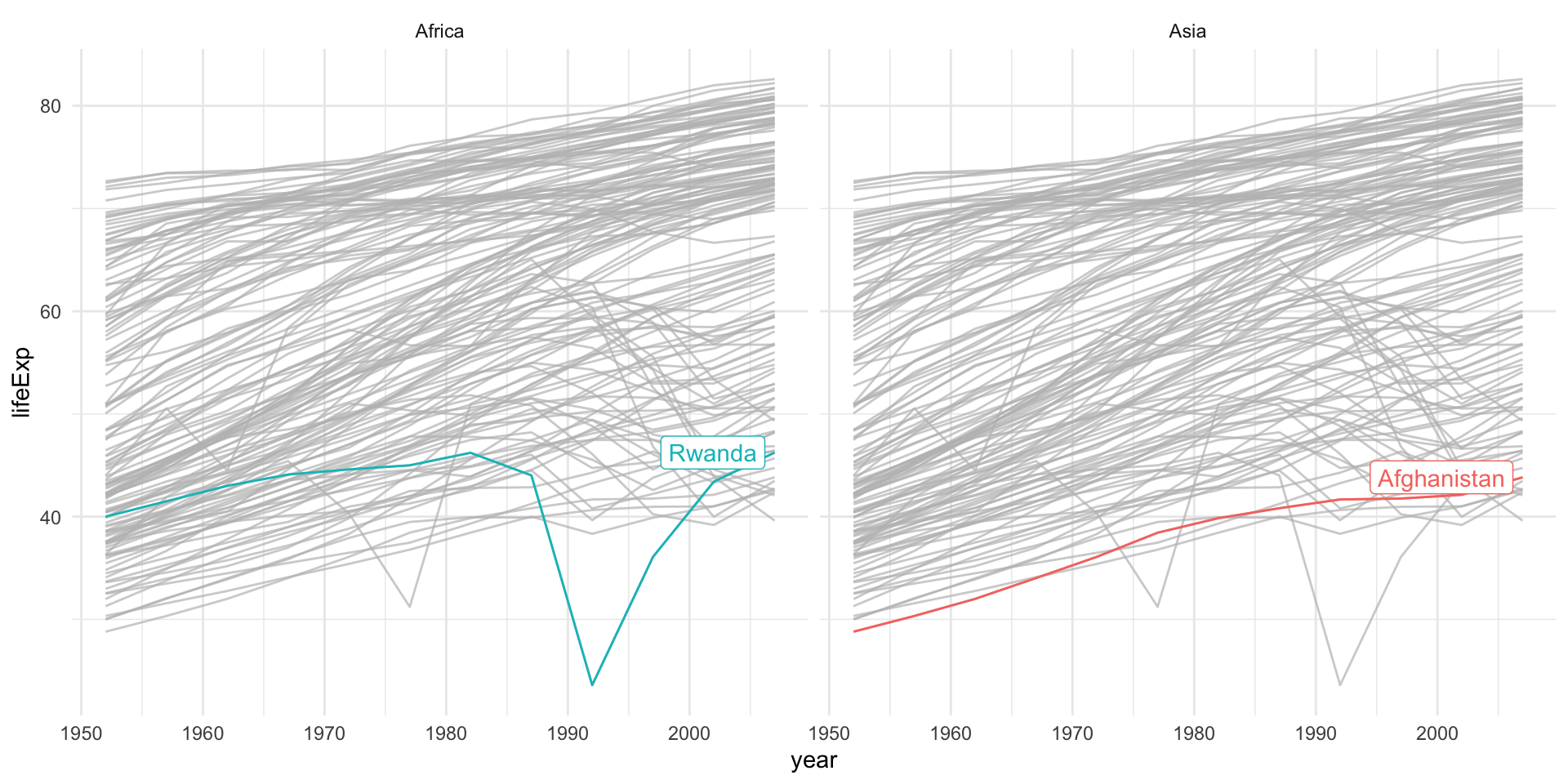
continents with low life expectancy

plot2 <- ggplot(gapminder) +
  aes(x=year, 
      y=lifeExp, 
      group=country, 
      color=country) +
  geom_line() +
  gghighlight(min(lifeExp) < 30) +
  facet_wrap(~continent)+
  theme_minimal() +
  theme(legend.position = "none")
plot2

distribution of life expectancy over years for two countries
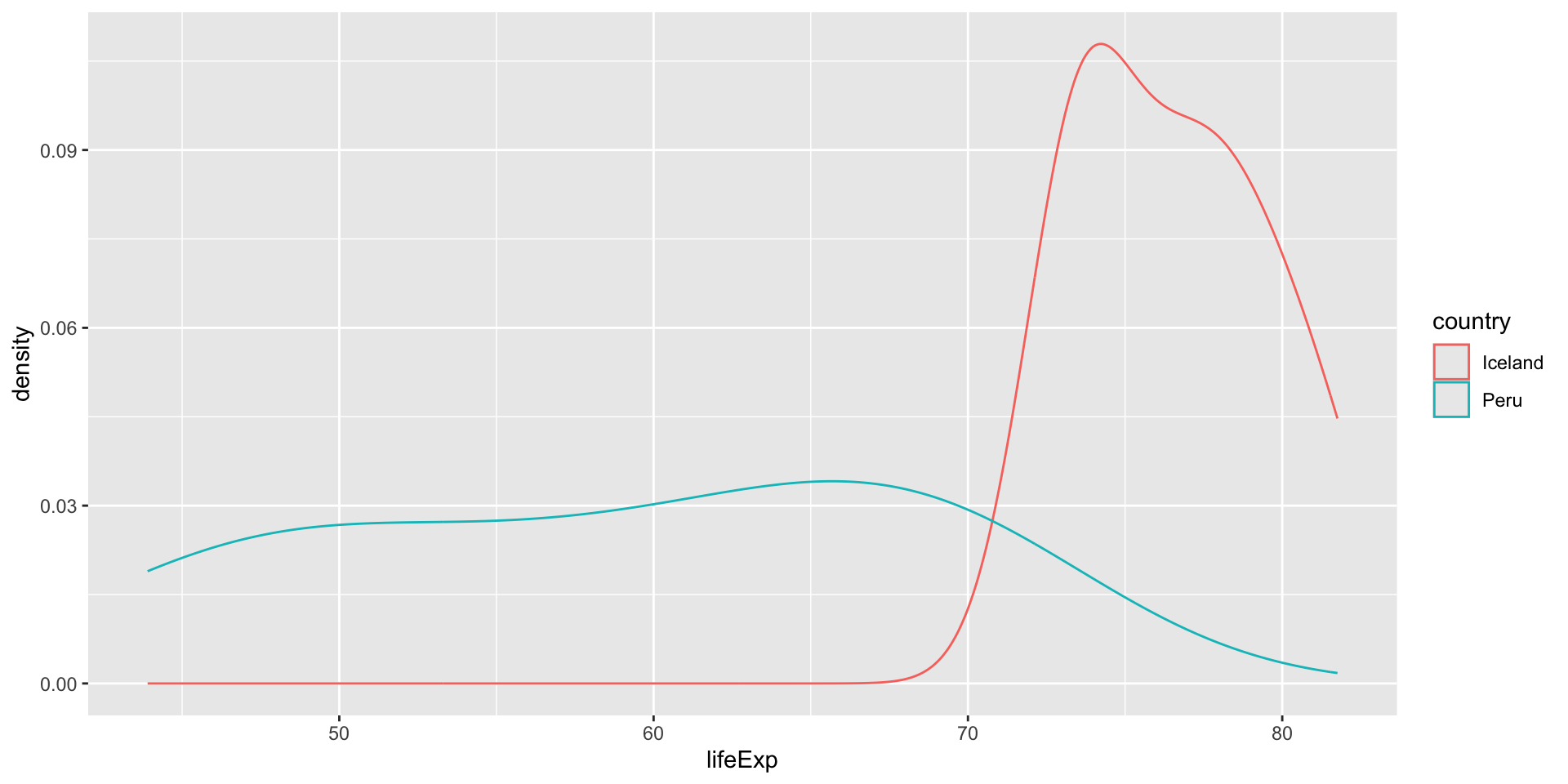
plot3 <- gapminder |>
  filter(country %in% c("Peru","Iceland")) |>
ggplot() +
  aes(x=lifeExp, color = country) +
  geom_density()
plot3

grid and gridExtra examples continued…

Passing plots to grid.arrange() and specifying either the number of rows or columns gives a simple layout.
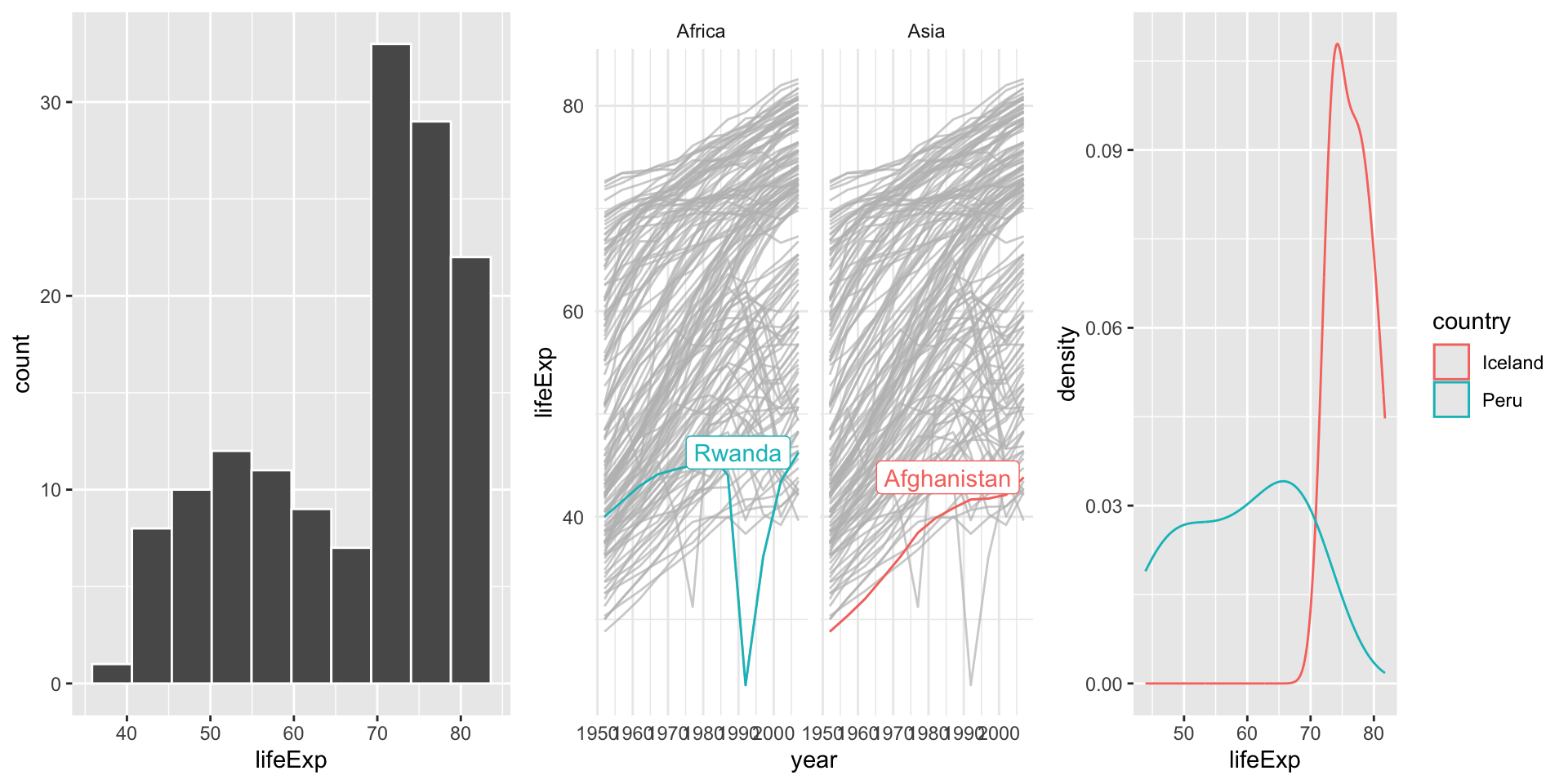
grid.arrange(plot1, plot2, plot3, nrow = 1)

grid and gridExtra examples continued…

Grobs may also be placed in a list and arranged using customized formats using the argument layout_matrix.
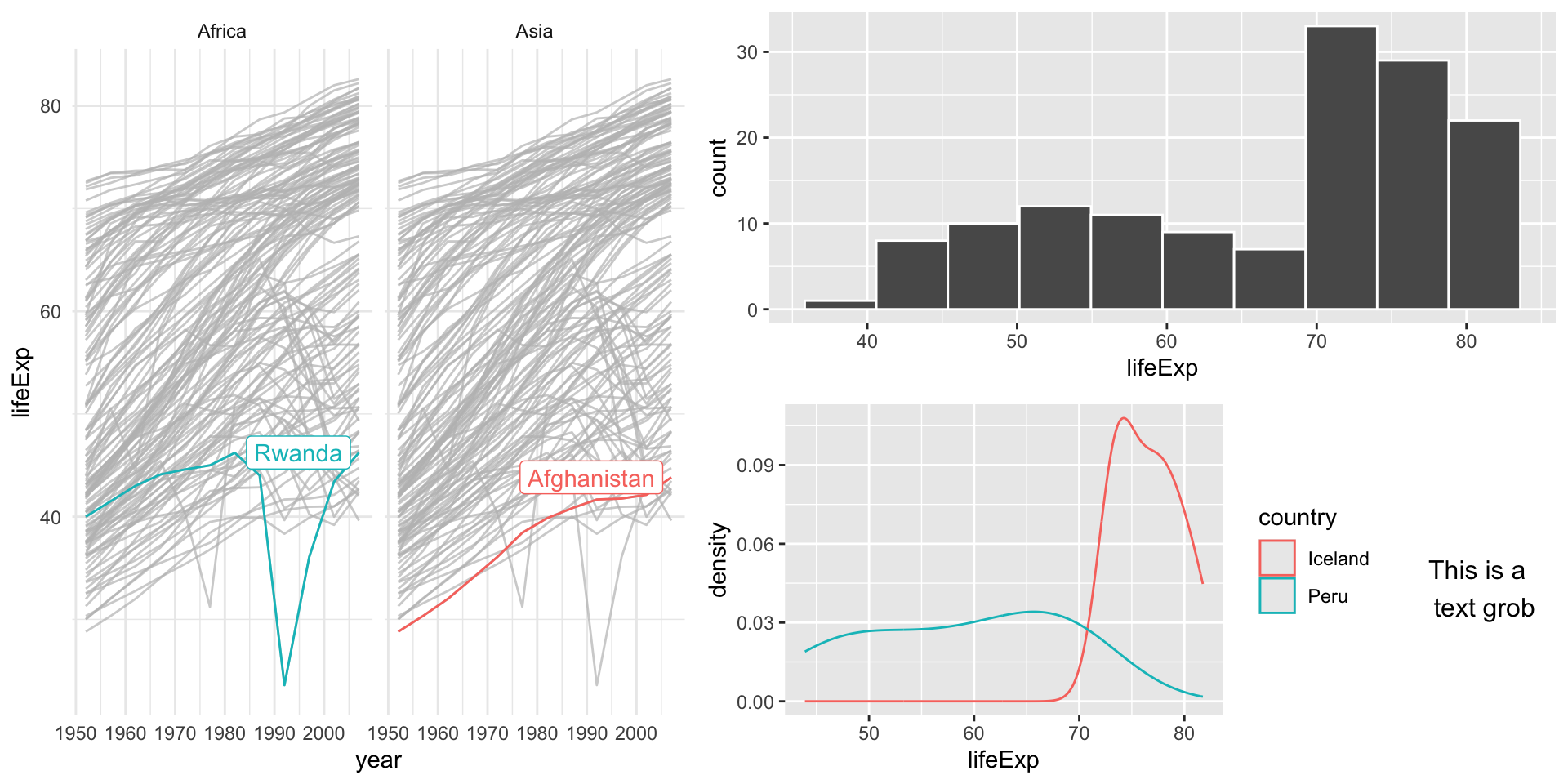
# Create a new grob
newgrob <- textGrob("This is a \n text grob")
groblist <- list(plot1, plot2, plot3, newgrob)
# Create a custom layout
grid.arrange(grobs = groblist,
             widths = c(2,2,4,1),
             layout_matrix = rbind(c(2,2,1,1),
                                   c(2,2,3,4)))

Patchwork

The patchwork package provides a shorthand method to plot multiple ggplot objects together
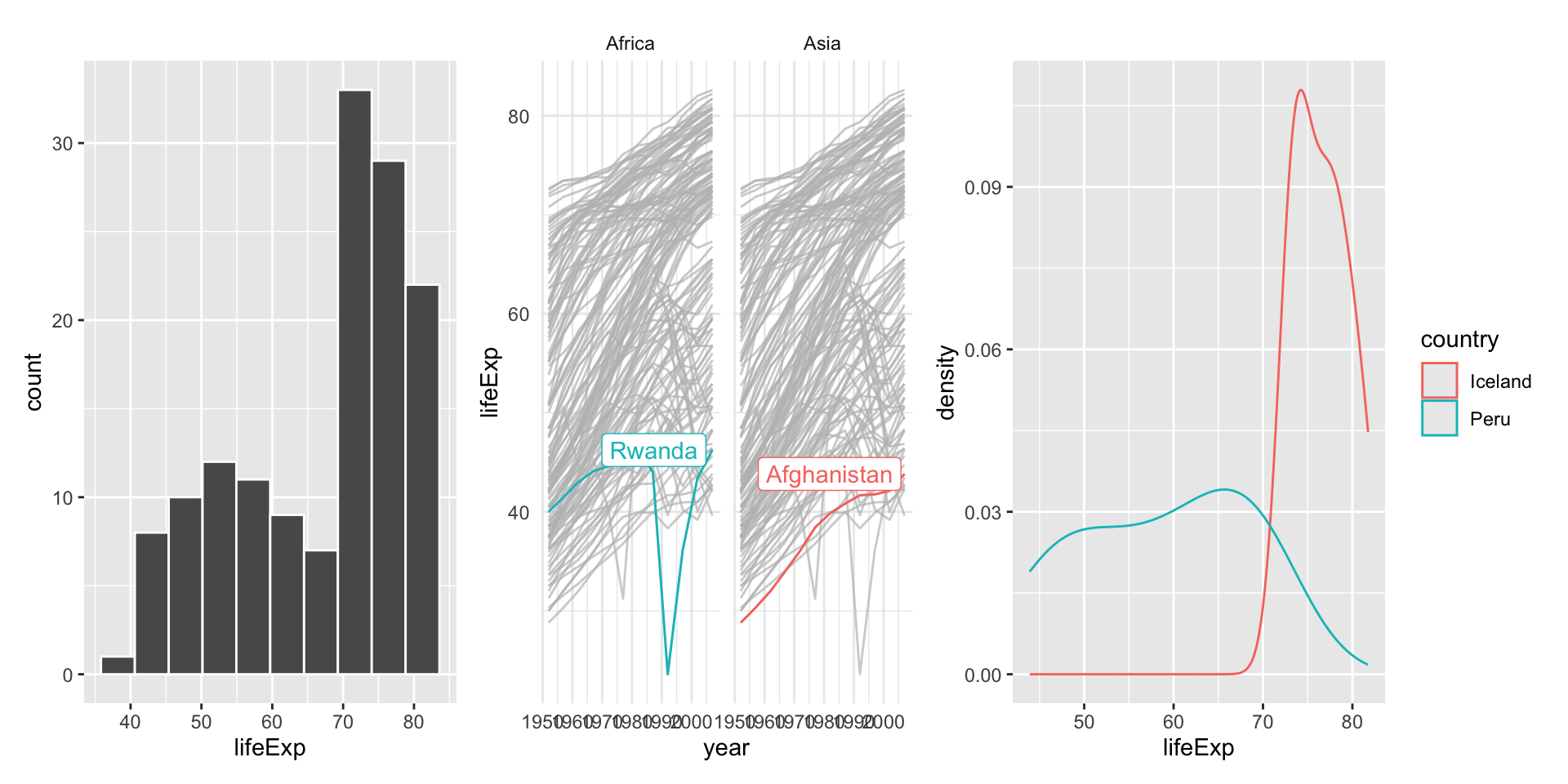
library(patchwork)
plot1 + plot2 + plot3

Patchwork example continued…

To structure plot layouts further use the plot_layout() function
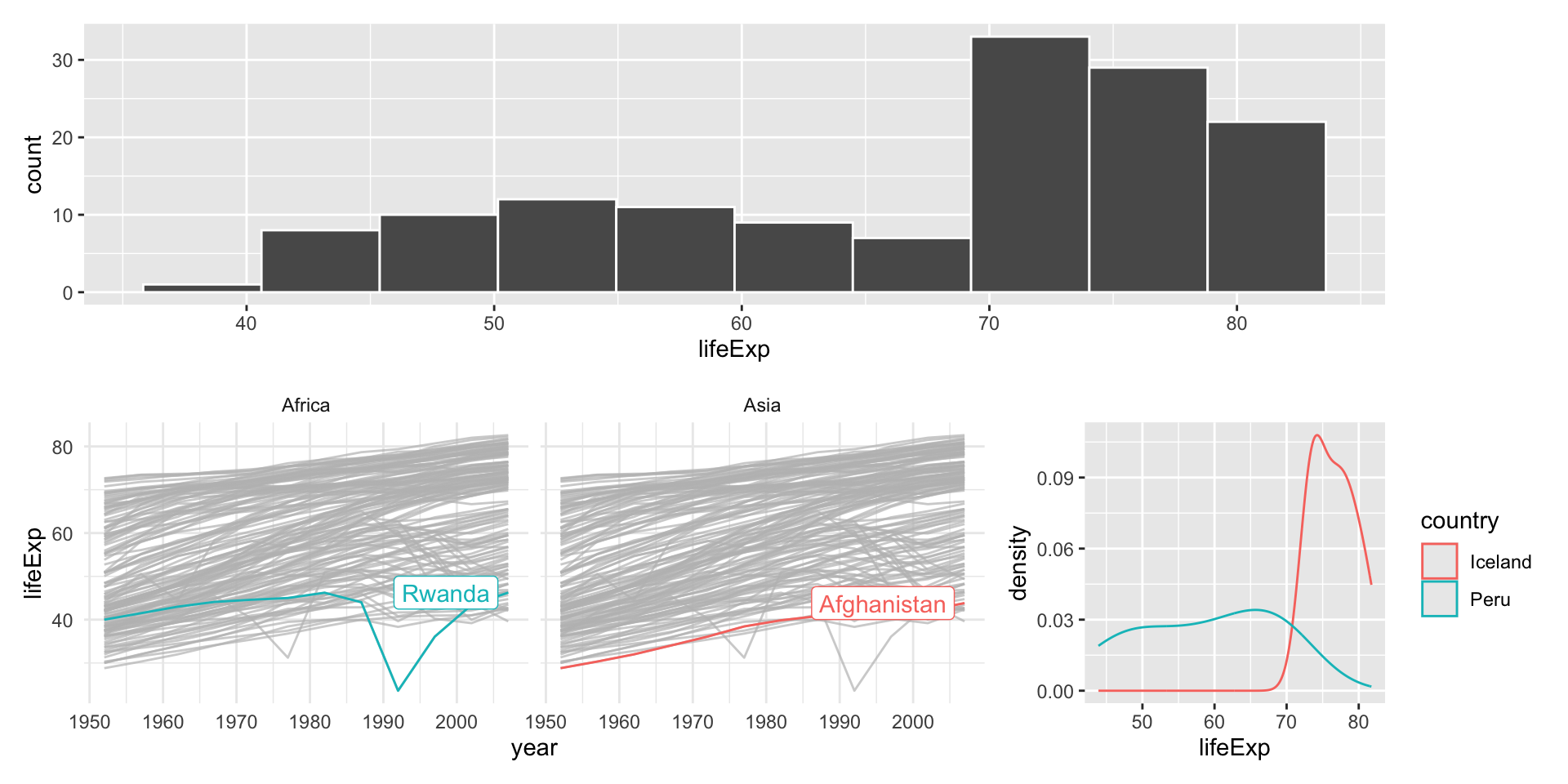
plot1 + {plot2 + plot3 + plot_layout(ncol=2, widths = c(3,1))} + plot_layout(ncol = 1)

Note that the {} indicate a nested plot

Patchwork example continued…

This package also uses | to indicate plots adjacent to one another and / to indicate vertical stacking
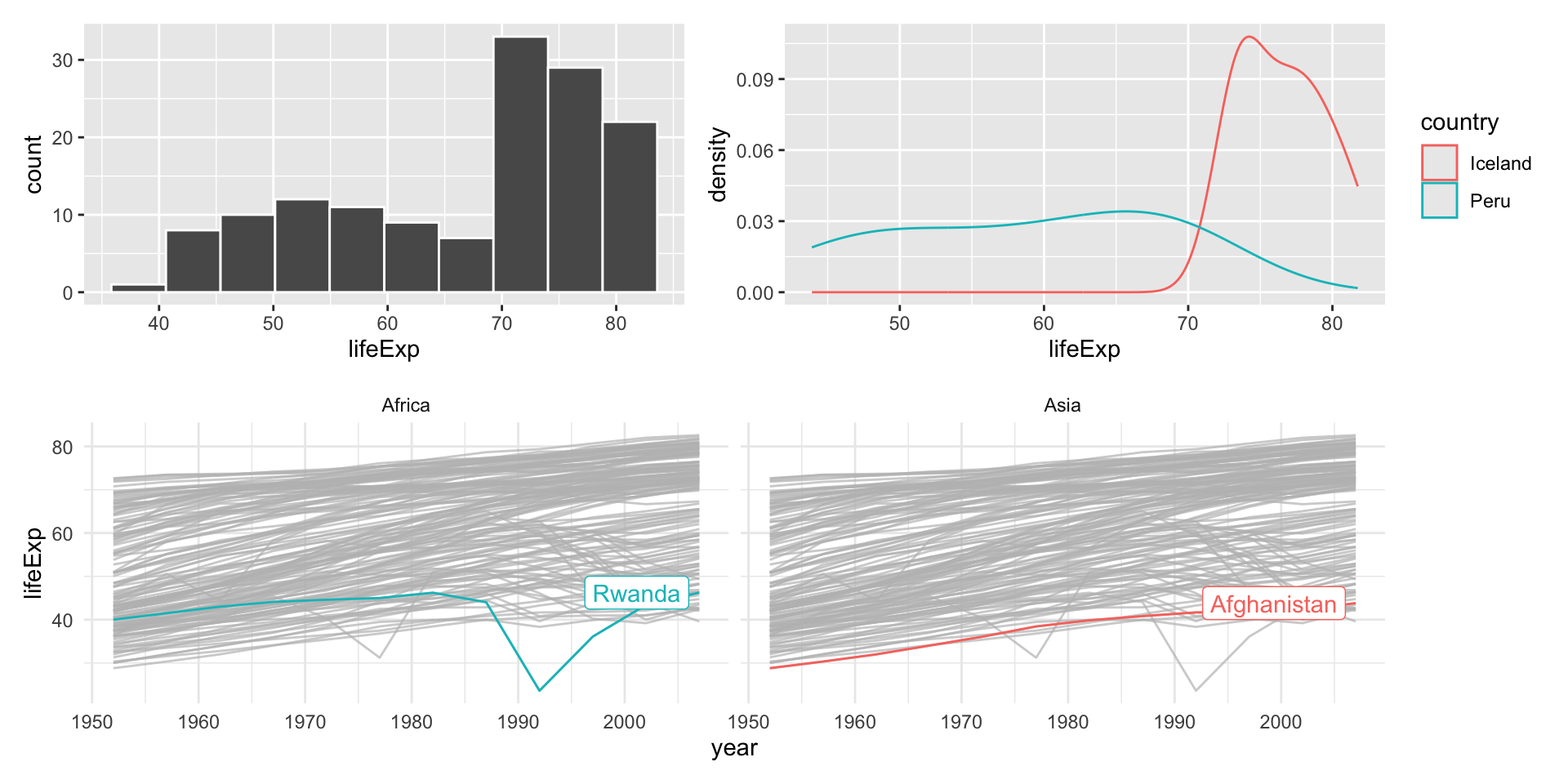
(plot1 | plot3) / plot2

For more examples see: https://gotellilab.github.io/GotelliLabMeetingHacks/NickGotelli/ggplotPatchwork.html

Exercise 1

  1. Use patchwork or grid+gridExtra to create a 4-panel plot grid with the following characteristics:
  • space for 4 ggplots
  • 2 columns & 3 rows
  • the first column should be twice as wide as the second column
  • the first plot should appear in the entire first column
  • plots 2-4 should fill the second column

Mapping

There are n (where n is large) ways to produce maps using R.

Many of these are beyond this course and delve into the dark abstractedly projected rabbithole that is cartography.

However, we can produce very nice looking maps in R quite easily.
(because learning GIS can be hard)

Using {ggplot2} and the {sf} package.

We can also use {sf} to do lots of spatial data operations & analyses, all within R.

Country coastlines

The package {rnaturalearth} provides a map of countries of the entire world.

library("rnaturalearth")
library("rnaturalearthdata")
#library("rnaturalearthhires") # for scale = large
world <- ne_countries(scale = "medium", returnclass = "sf")
class(world)
## [1] "sf"         "data.frame"

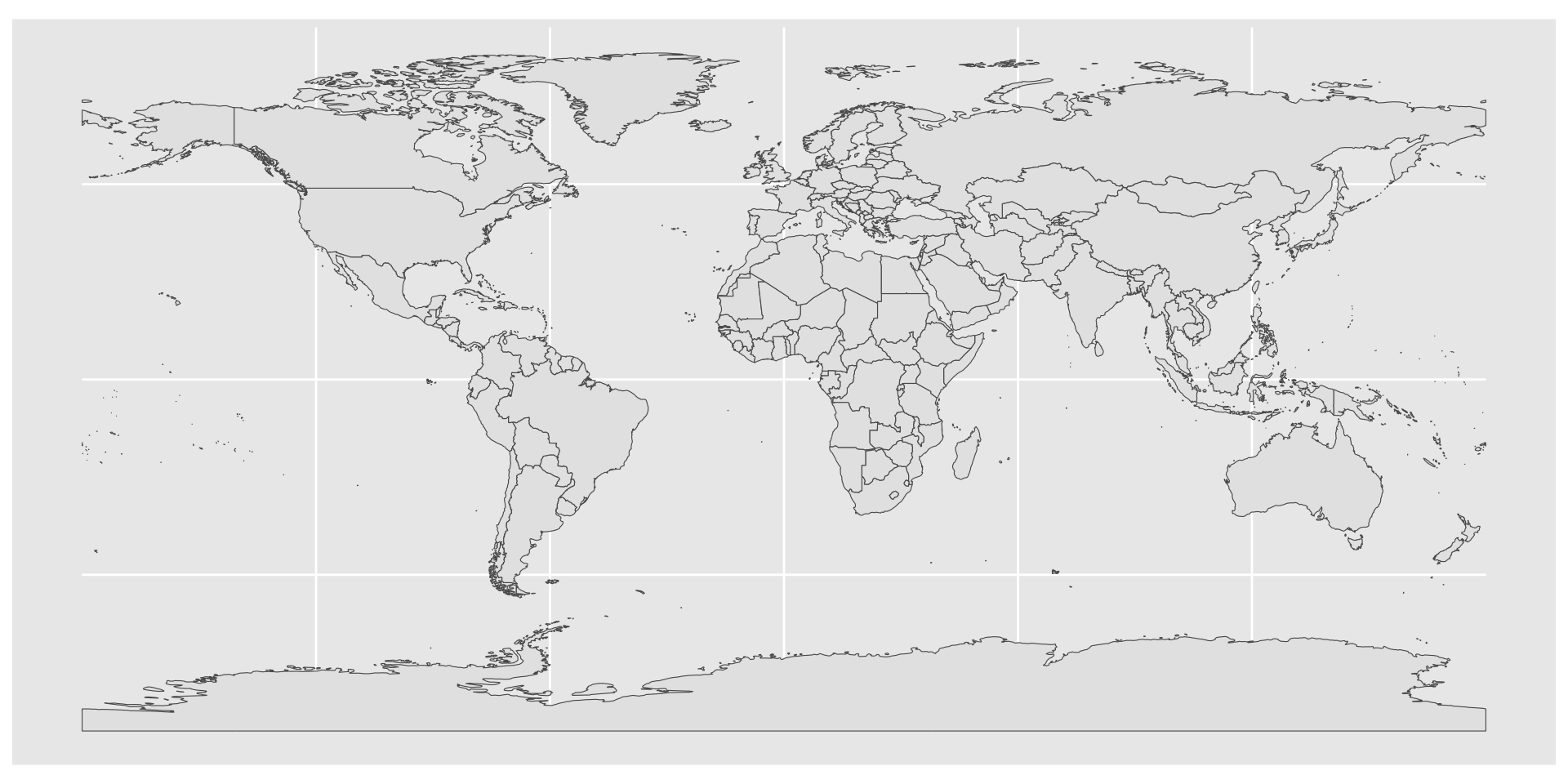
simple map

ggplot(data = world) +
    geom_sf()

map color

ggplot(data = world) + 
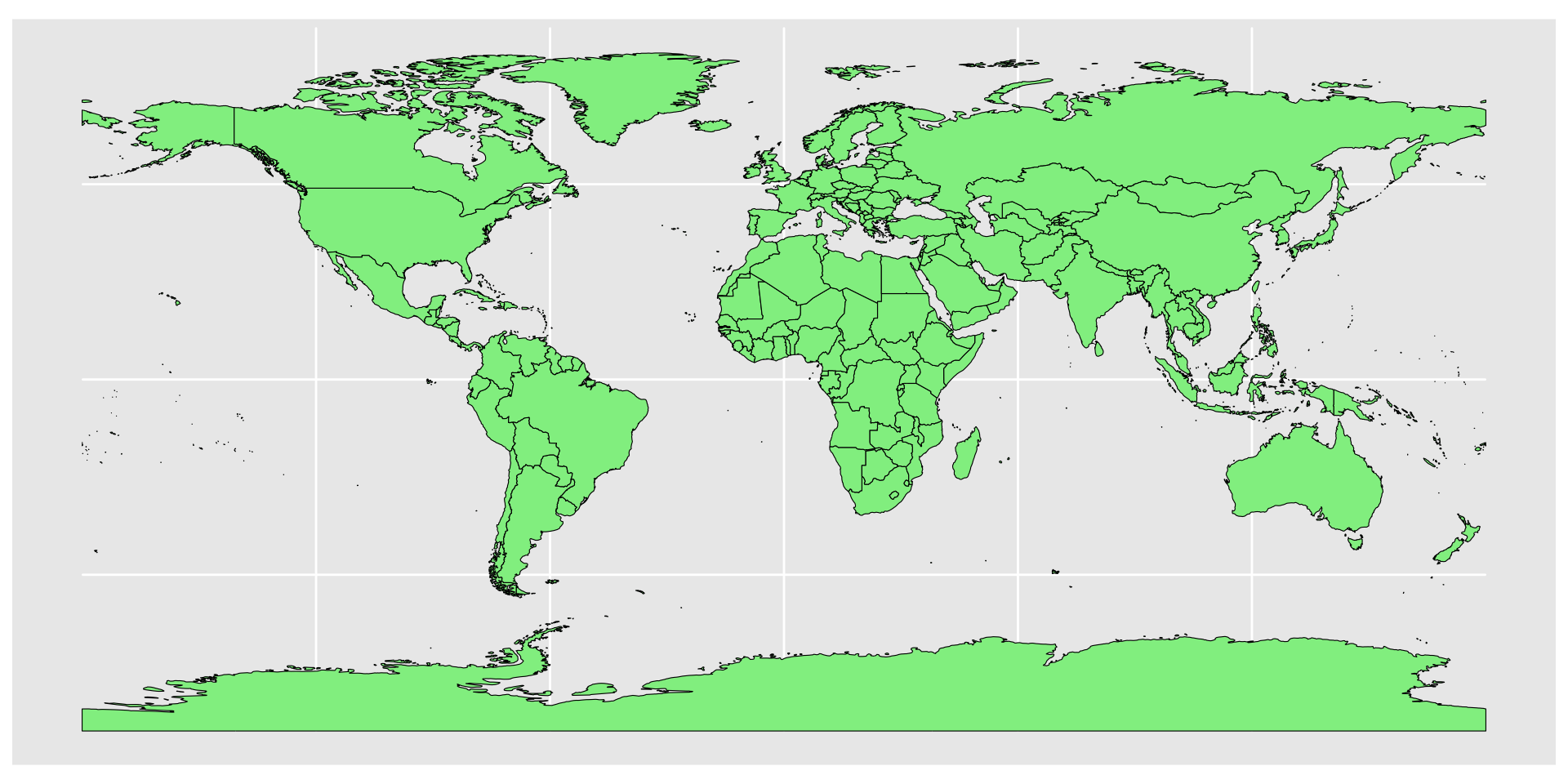
    geom_sf(color = "black", fill = "lightgreen")

chloropleth maps

plotting a data variable with our geometries
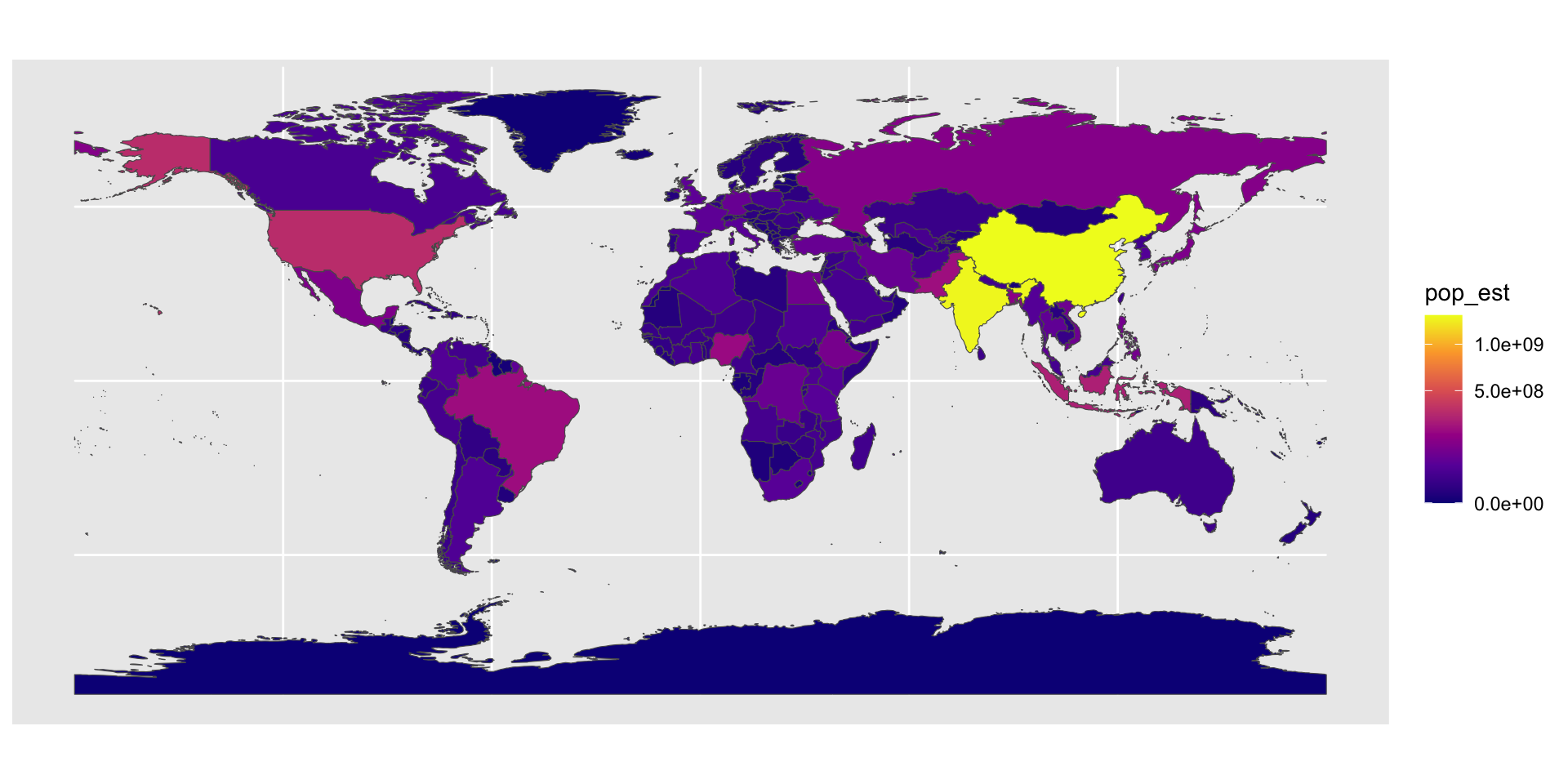
ggplot(data = world) +
    geom_sf(aes(fill = pop_est)) +
    scale_fill_viridis_c(option = "plasma", trans = "sqrt")

Projection and extent

coord_sf() deals with the coordinate system Used to change the map projections, and the extent. e.g.
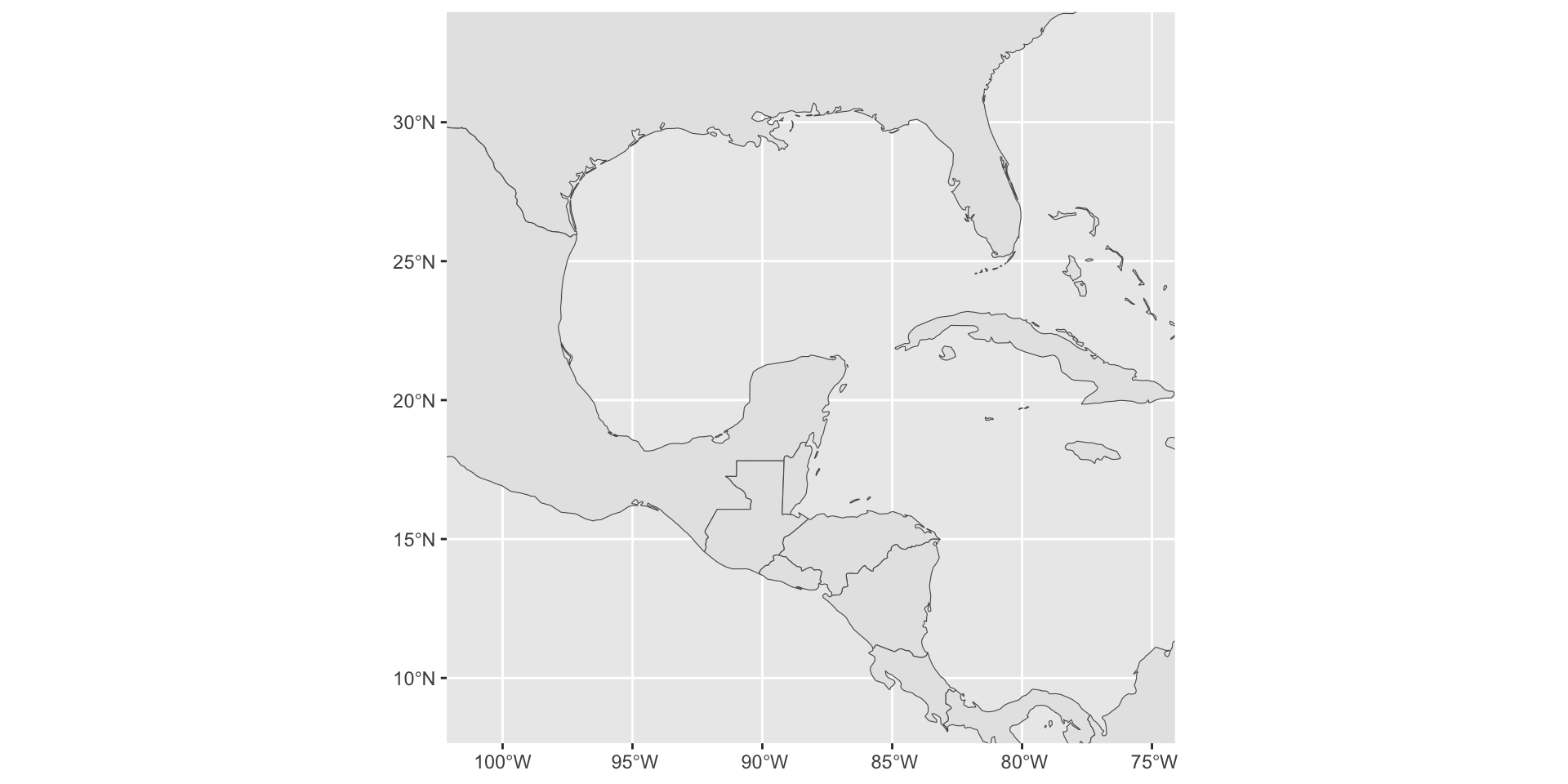
ggplot(data = world) +
    geom_sf() +
    coord_sf(xlim = c(-102.15, -74.12), ylim = c(7.65, 33.97), expand = FALSE)

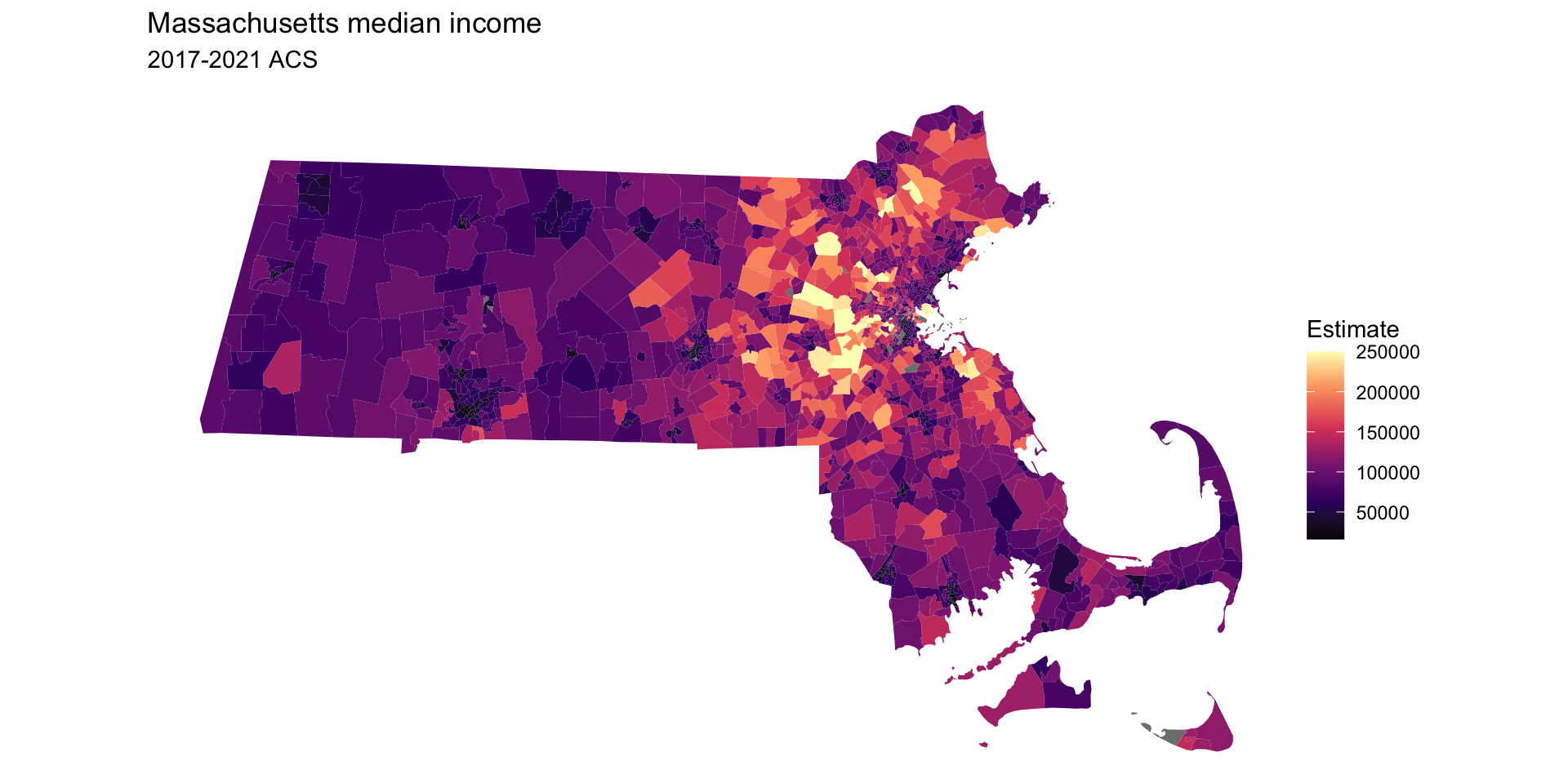
census data example

library(tidycensus)
#options(tigris_use_cache = TRUE)

age_data <- get_acs(
  geography = "tract",
  variables = "B19013_001", #"B01002_001",
  state = "MA",
  geometry = TRUE
)
ggplot(age_data, aes(fill = estimate)) + 
  geom_sf(color = NA) + 
  theme_void() + 
  scale_fill_viridis_c(option = "magma") + 
  labs(title = "Massachusetts median income",
       subtitle = "2017-2021 ACS",
       fill = "Estimate")
## 
  |                                                                            
  |                                                                      |   0%
  |                                                                            
  |==                                                                    |   3%
  |                                                                            
  |====                                                                  |   5%
  |                                                                            
  |=====                                                                 |   8%
  |                                                                            
  |=======                                                               |  10%
  |                                                                            
  |=========                                                             |  13%
  |                                                                            
  |===========                                                           |  15%
  |                                                                            
  |=============                                                         |  18%
  |                                                                            
  |==============                                                        |  21%
  |                                                                            
  |================                                                      |  23%
  |                                                                            
  |==================                                                    |  26%
  |                                                                            
  |====================                                                  |  28%
  |                                                                            
  |======================                                                |  31%
  |                                                                            
  |=======================                                               |  33%
  |                                                                            
  |=========================                                             |  36%
  |                                                                            
  |=============================                                         |  41%
  |                                                                            
  |================================                                      |  46%
  |                                                                            
  |==================================                                    |  49%
  |                                                                            
  |====================================                                  |  51%
  |                                                                            
  |=======================================                               |  56%
  |                                                                            
  |===========================================                           |  61%
  |                                                                            
  |===============================================                       |  67%
  |                                                                            
  |==================================================                    |  72%
  |                                                                            
  |========================================================              |  79%
  |                                                                            
  |=========================================================             |  82%
  |                                                                            
  |================================================================      |  92%
  |                                                                            
  |====================================================================  |  97%
  |                                                                            
  |======================================================================| 100%

looking at the sf object

age_data
## Simple feature collection with 1620 features and 5 fields (with 7 geometries empty)
## Geometry type: MULTIPOLYGON
## Dimension:     XY
## Bounding box:  xmin: -73.50814 ymin: 41.23796 xmax: -69.92839 ymax: 42.88659
## Geodetic CRS:  NAD83
## First 10 features:
##          GEOID                                                  NAME   variable
## 1  25001011300    Census Tract 113; Barnstable County; Massachusetts B19013_001
## 2  25001012601 Census Tract 126.01; Barnstable County; Massachusetts B19013_001
## 3  25001013500    Census Tract 135; Barnstable County; Massachusetts B19013_001
## 4  25009250100        Census Tract 2501; Essex County; Massachusetts B19013_001
## 5  25009250500        Census Tract 2505; Essex County; Massachusetts B19013_001
## 6  25009250900        Census Tract 2509; Essex County; Massachusetts B19013_001
## 7  25009266200        Census Tract 2662; Essex County; Massachusetts B19013_001
## 8  25009266300        Census Tract 2663; Essex County; Massachusetts B19013_001
## 9  25009260100        Census Tract 2601; Essex County; Massachusetts B19013_001
## 10 25009268100        Census Tract 2681; Essex County; Massachusetts B19013_001
##    estimate   moe                       geometry
## 1    108889 12602 MULTIPOLYGON (((-70.24078 4...
## 2     68143 18196 MULTIPOLYGON (((-70.3366 41...
## 3    141453 21889 MULTIPOLYGON (((-70.48384 4...
## 4     32684  9412 MULTIPOLYGON (((-71.16964 4...
## 5     51317 11369 MULTIPOLYGON (((-71.17166 4...
## 6     35119  8040 MULTIPOLYGON (((-71.15623 4...
## 7     90580 20856 MULTIPOLYGON (((-70.97472 4...
## 8     93450 17993 MULTIPOLYGON (((-70.93725 4...
## 9     34050 10705 MULTIPOLYGON (((-71.08812 4...
## 10   211607 39650 MULTIPOLYGON (((-70.94029 4...

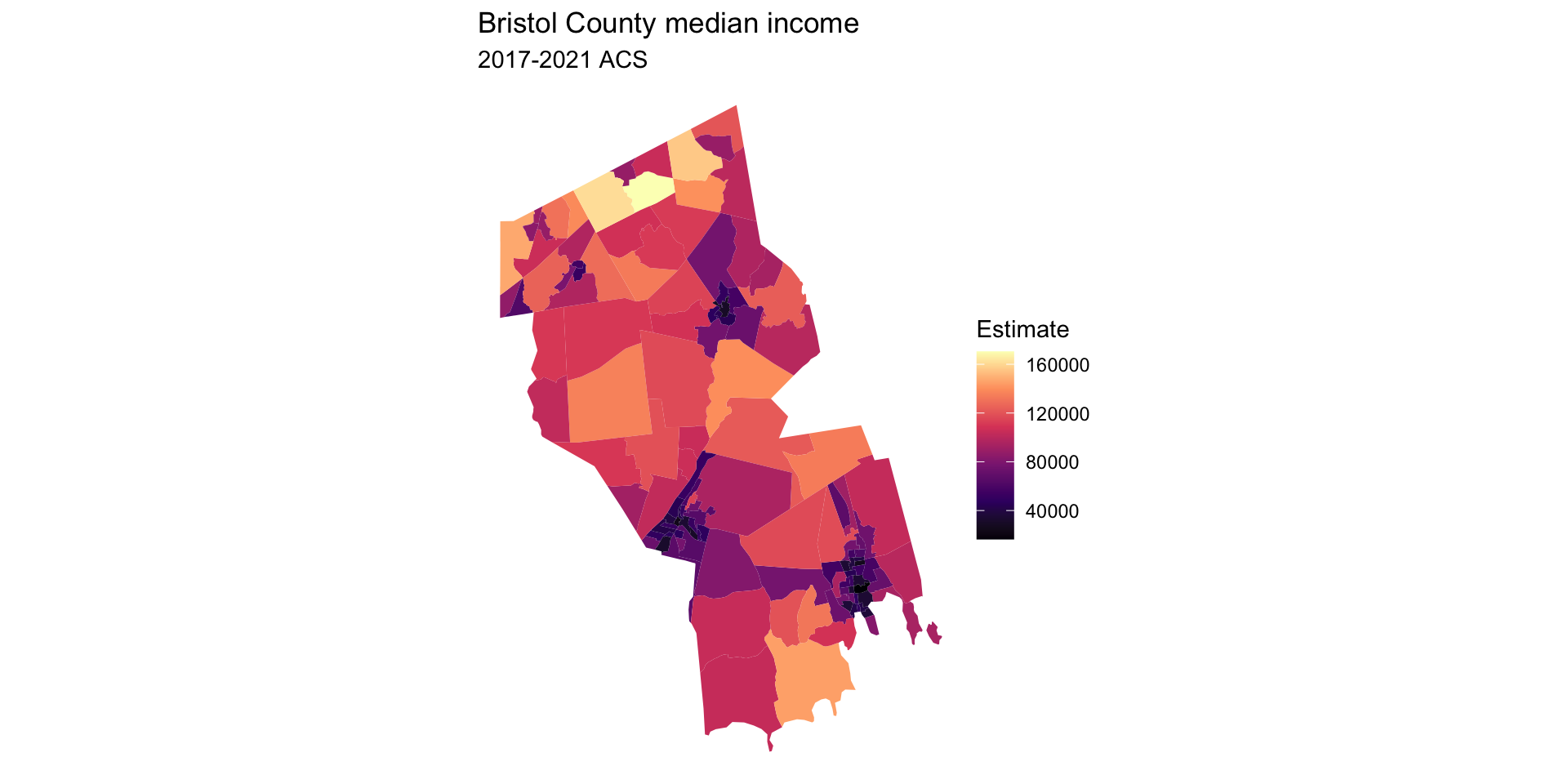
just for Bristol County

age_data <- get_acs(
  geography = "tract",
  variables = "B19013_001",  #for median age = "B01002_001",
  state = "MA",
  county = "Bristol",
  geometry = TRUE
)

ggplot(age_data, aes(fill = estimate)) + 
  geom_sf(color = NA) + 
  theme_void() + 
  scale_fill_viridis_c(option = "magma") + 
  labs(title = "Bristol County median income",
       subtitle = "2017-2021 ACS",
       fill = "Estimate")
Exercise 2

Use ggplot to create a map of Cape Cod with the following features:

  • Longitudes should range from \(-71^{\circ}\text{W}\) to \(-69^{\circ}\text{W}\)
  • Latitudes should range from \(41.25^{\circ}\text{N}\) to \(43^{\circ}\text{N}\)
  • Label axes
  • Color land
  • Add points indicating the locations of Woods Hole, Chatham, and Provincetown
  • BONUS Change the map projection

For coastline use:

library("rnaturalearthhires") # for scale = large
world <- ne_countries(scale = "large", returnclass = "sf")